
Belgian electrical design software
Your electrical installations compliant with the GREI, from plan to file.
Layout plan, single-line diagram, 3D board, GREI check and bill of materials: everything is linked in a single project, for domestic and non-domestic work alike. You draw, Vonkcad checks and prepares the file.
- Windows and Mac
- English, Français, Nederlands, Deutsch
- GREI Book 1, 2026 version
Features
One project, everything linked
Change a circuit: the plan, the single-line diagram, the 3D board, the bill of materials and the check follow.
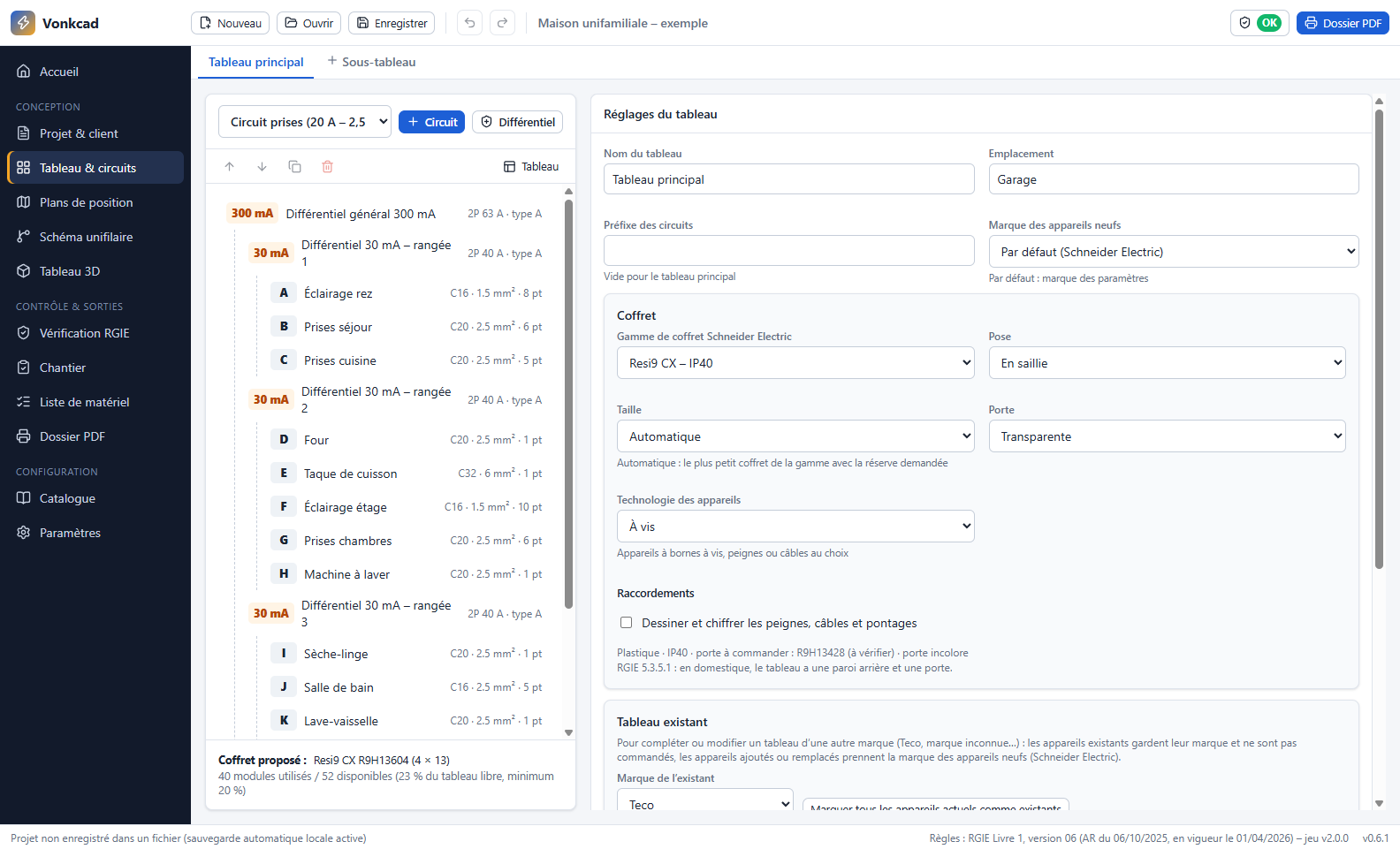
The board builds itself
RCDs, circuit breakers and circuits are created and lettered automatically: 300 mA and 30 mA at the head, one 30 mA per row, 20 % spare.
- A switch and its light points numbered together: A1
- Two-way and intermediate switches handled by group
- New and existing installations, derogations included
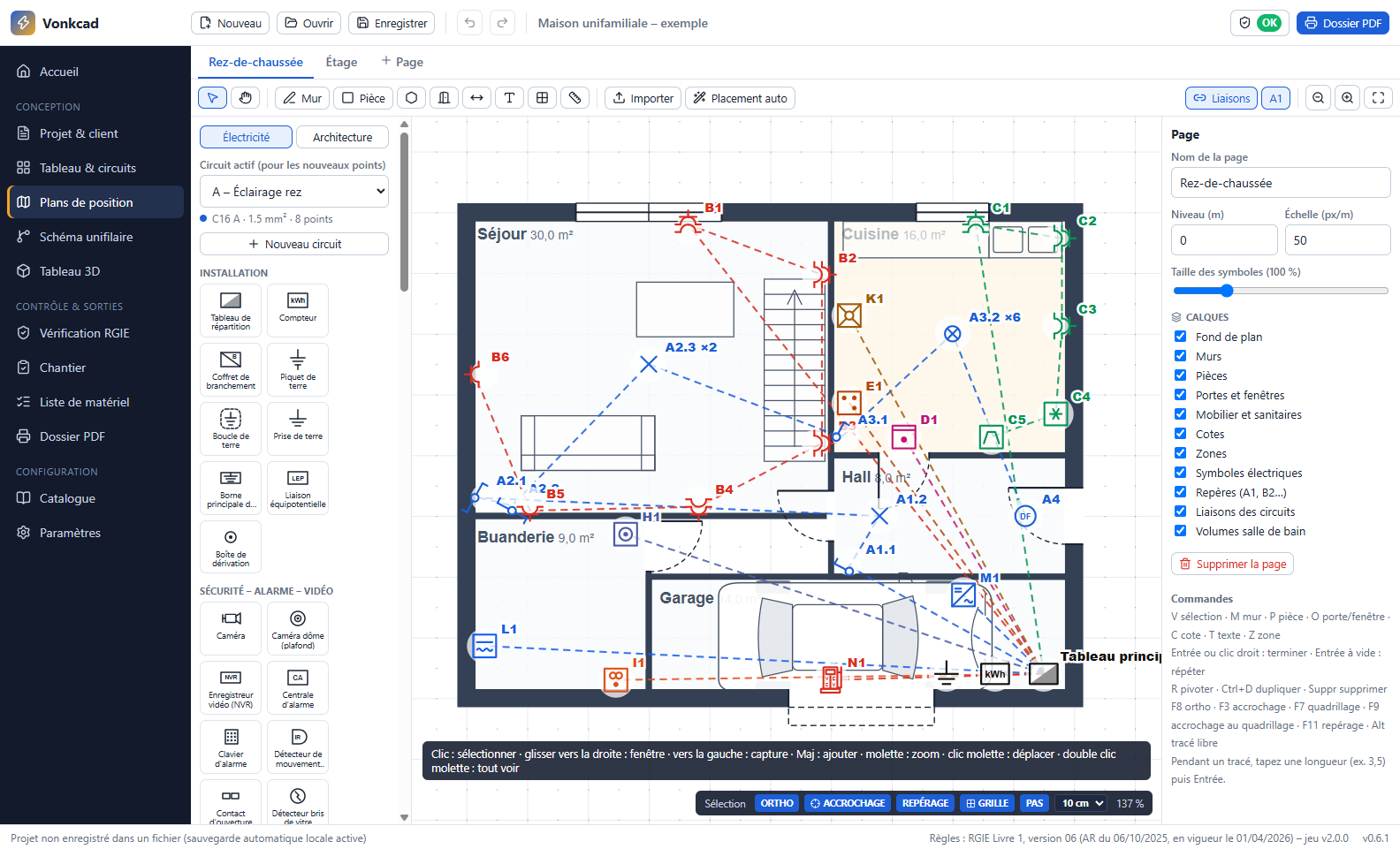
Place the points on your plan
Import a PDF, an image, a DXF or a DWG, or draw walls and rooms. Each symbol is linked to its circuit.
- Labels and links updated automatically
- Sockets and switches placed against the wall, flush or surface-mounted
- Bathroom zones, dimensions and layers
- Automatic placement of points
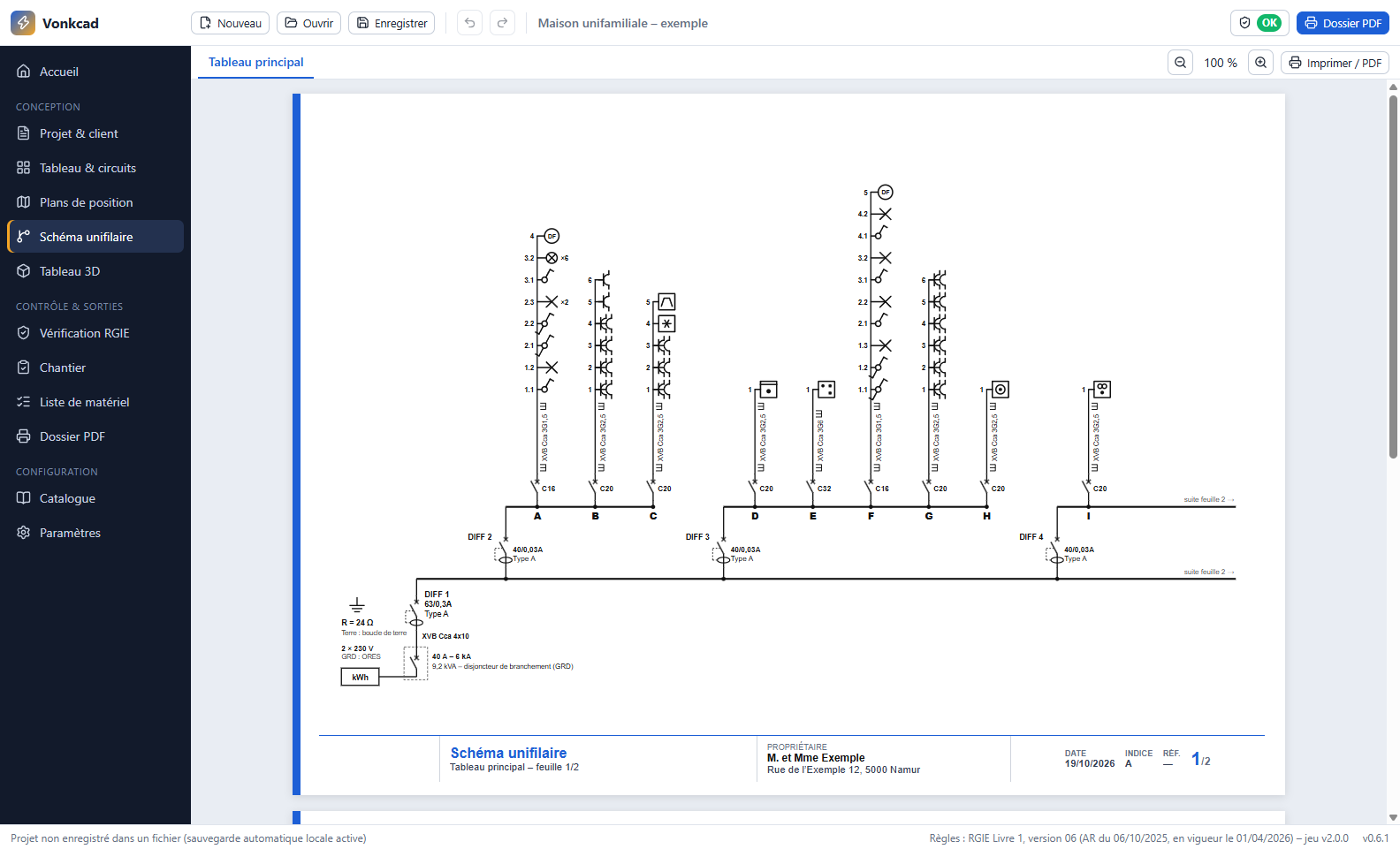
The single-line diagram, generated from the board
With the symbols and statements required by the GREI, the installation method of each cable and a title block in your name.
- A switch and its light points on the same line
- Cross-sections, ratings and RCDs always up to date
- Symbol legend and your company logo
- A4 or A3 printing, in colour or black and white
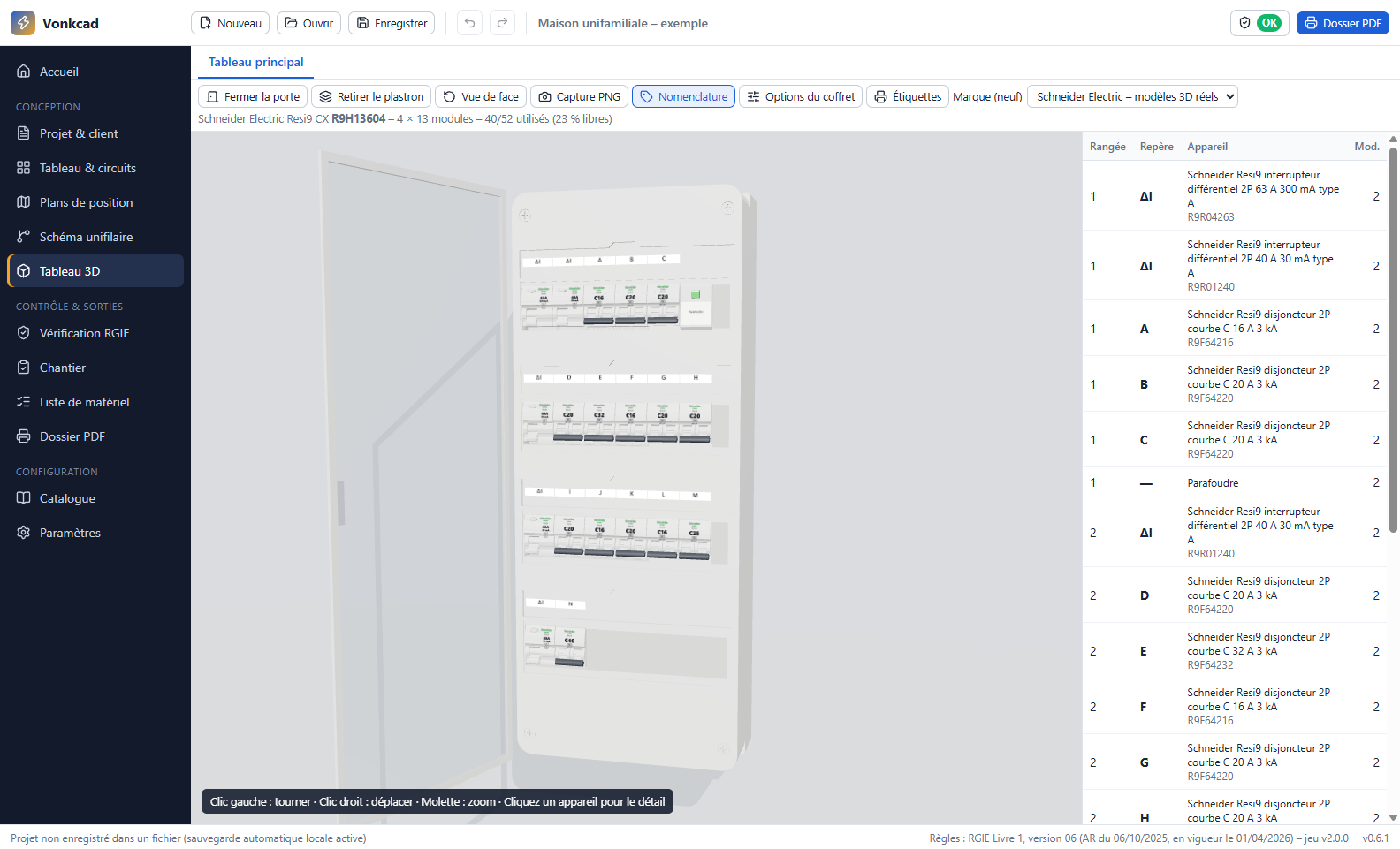
The real enclosure, with the real devices
The enclosure is chosen according to the brand and the space needed, and the devices are laid out row by row, with their references.
- Schneider, Hager, ABB, Siemens, Legrand and more
- Bill of materials and labels at 1:1 scale
- Cabling and busbar combs drawn in the enclosure
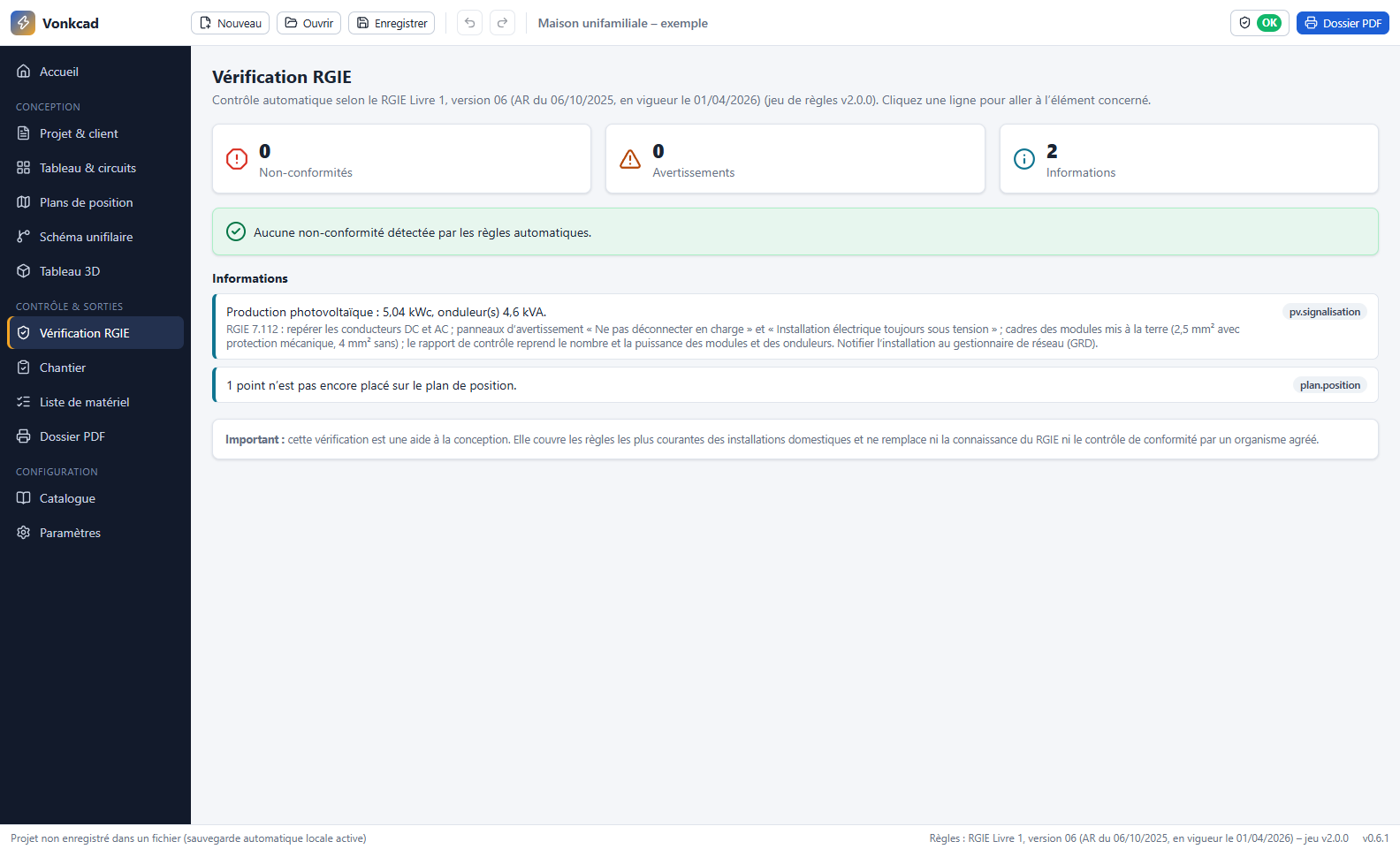
Errors are flagged while you draw
Cross-sections and ratings, number of sockets, 30 mA, earth, dedicated circuits, voltage drop: each remark takes you to the item concerned.
- Rules of GREI Book 1, 2026 version
- The 4 Belgian supply systems
- Photovoltaics, EV charger, heat pump
Warehouses, workshops, offices: the required documents
For a non-domestic installation, Vonkcad draws up the external influences document, zone by zone, and the lists of critical and safety installations requested by the approved inspection body.
- Table 9.1 external influences with pictograms and a plain-language summary
- Minimum degree of protection calculated for each zone
- Earth electrode checked against the earthing system and the RCD

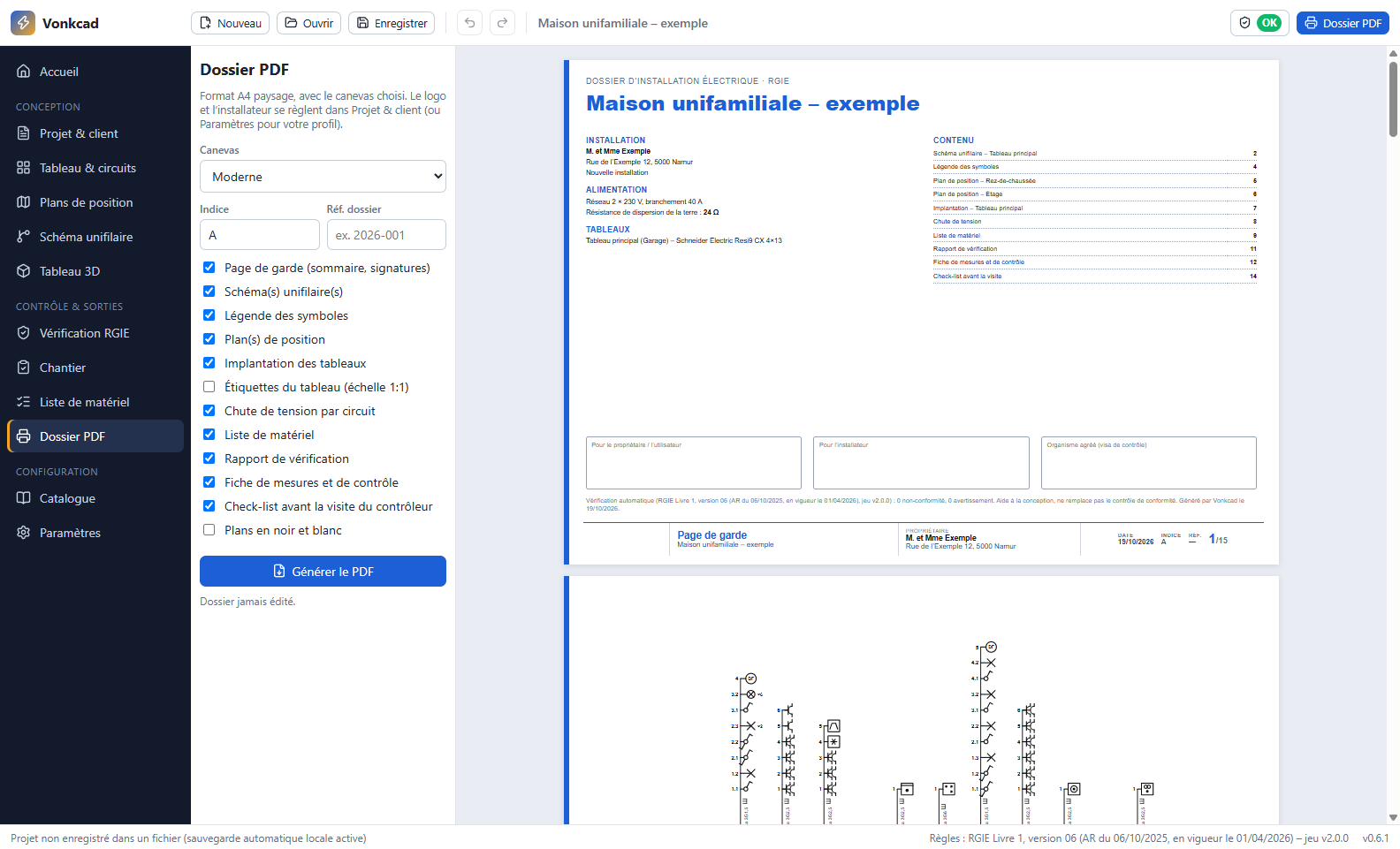
The complete file, ready for the inspection
Cover page, single-line diagrams, legend, plans, board layouts, bill of materials, measurement sheet and checklist before the approved inspection body's visit.
- File revisions and indexes
- Bill of materials with references
- In your company's colours, with its logo
On-site measurements, from your laptop
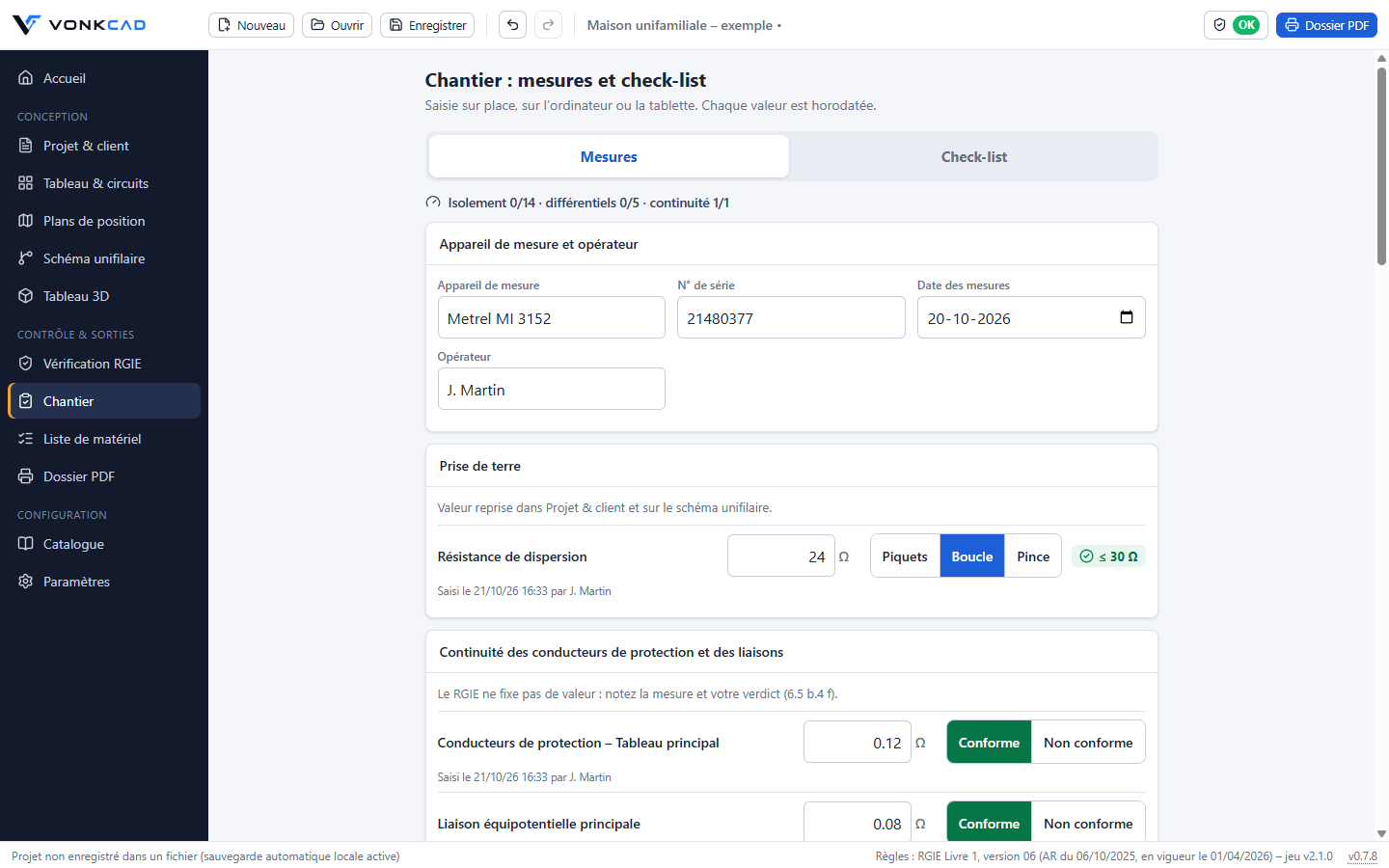
The Site screen fits the laptop and the Windows tablet. Earth, continuity, insulation and RCDs: each value is compared with the GREI and timestamped. The checklist before the inspector's visit is ticked on site.
- Measurement sheet, filled in or blank, in the file
- Voltage drop calculated for every circuit
- Board labels printed at 1:1 scale
How it works
From the first point to the file, in three steps
Describe the installation
Client, supply, board: Vonkcad suggests the RCDs and standard circuits.
Place the points
On your plan or directly in the circuits: sockets, lighting, appliances.
Print the file
Once the check is green, the PDF file is ready for the client and the approved inspection body.
And also
Built for the field
Offline
Work on site without a connection for up to 48 hours.
Your projects stay with you
Projects are files on your PC, saved wherever you want.
One computer per account
Plus one tablet and two phones for the planned site app.
Automatic updates
New versions install on restart, signed and verified.
Four languages
Interface and file in French, Dutch, German and English.
Made in Belgium
By an electrician, for electricians.
Open beta
Try Vonkcad free of charge during the beta
Create your account, request access and tell us what you are missing: your feedback shapes the software.
Questions
Frequently asked questions
Which systems does Vonkcad run on?
Windows 10 and 11, and macOS on Macs with Apple silicon (M1 and later) or Intel. A site app for tablets and phones is planned.
Do I need an Internet connection?
For the first sign-in only. After that, you can work offline for up to 48 hours: access is checked again as soon as you are online.
Does Vonkcad replace the compliance inspection?
No. The check is a design aid: it covers the most common rules for domestic installations and the main documents for non-domestic installations. The inspection is still carried out by an approved inspection body.
How much does Vonkcad cost?
Access is free during the beta. Prices will be announced before the launch, and beta testers will be told first.
On how many devices can I use it?
An account includes one computer (Windows or Mac), as well as one tablet and two phones for the planned site app. Changing computer? Sign in on the new one: Vonkcad frees the old one, free of charge once a year for each type of device. Beyond that, request the replacement in “My devices” in your space: we will reply by email.
Are my projects sent over the Internet?
Only if you choose to. By default, your projects stay on your PC. If you save them in the Vonkcad cloud, they are kept in a private space for your account, at Hetzner in Germany. Otherwise, only the check of your access goes through our servers, hosted in Europe.